

Binary Search Algorithm
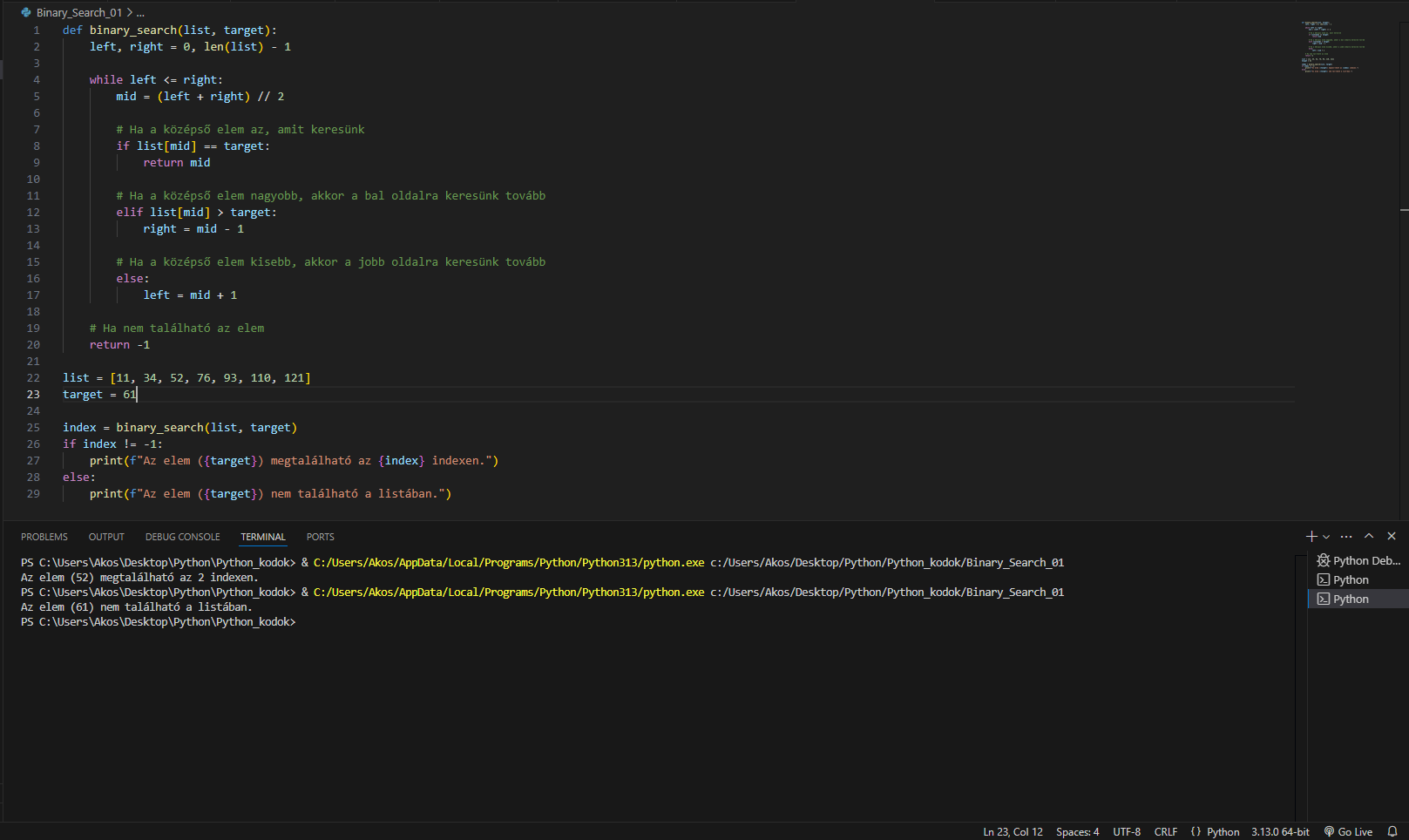
Binary Search is one of the most commonly used algorithms for searching in a list. The code was executed twice, as shown in the image. It includes error handling: the element 52 is found in the list defined in the code, as seen in the Visual Studio command line output, while for the element 61, it correctly indicates that it is not part of the list, which is indeed true.
How Binary Search Works: (Collapsible content – click the + icon on the far right)
Binary Search is an efficient algorithm for searching in sorted lists, applying the divide-and-conquer principle. The steps are as follows:
1. Conditions:
Binary Search requires that the list containing the data to be searched is sorted, meaning the elements must be arranged in ascending (or descending) order.
2. Initial Assumption:
The search starts with the middle element of the list. The boundaries of the search range are defined by the start (left) and the end (right) of the list.
3. Examining the Middle Element:
If the middle element matches the target, the search is successful, and the position of the target is returned.
If the middle element is smaller than the target, the search continues on the right side (after the middle element).
If the middle element is larger than the target, the search continues on the left side (before the middle element).
4. Narrowing Down:
At each step, the search range is halved based on the middle element, reducing the search space and speeding up the process.
5. Completion:
The search ends either when the target element is found or when the left pointer (left) surpasses the right pointer (right), indicating that the target is not in the list.
Example:
Suppose we want to find the number 40 in a sorted list:
[10, 20, 30, 40, 50, 60, 70, 80]
First Step:
Left pointer (left) = 0
Right pointer (right) = 7
Middle element: arr[3] = 40
Since the middle element equals the target (40), the search is successful.
Time Complexity:
Binary Search reduces the search range by half at each step, resulting in logarithmic complexity: O(log n), where n is the number of elements in the list. Even in the worst-case scenario, only a logarithmic number of steps is required.
Advantages:
Allows fast searching in large, sorted lists.
By halving the search range in each step, it quickly locates the target element.
Disadvantages:
The list must be sorted. If the list is unsorted, it must first be sorted, which adds extra time and computational cost.
Code Snippet: (Expandable content – click the + icon on the right.)
def binary_search(list, target):
    left, right = 0, len(list) - 1

    while left <= right:
        mid = (left + right) // 2

        # Ha a középső elem az, amit keresünk
        if list[mid] == target:
            return mid

        # Ha a középső elem nagyobb, akkor a bal oldalra keresünk tovább
        elif list[mid] > target:
            right = mid - 1

        # Ha a középső elem kisebb, akkor a jobb oldalra keresünk tovább
        else:
            left = mid + 1

    # Ha nem található az elem
    return -1

list = [11, 34, 52, 76, 93, 110, 67, 47,98, 75]
target = 52

index = binary_search(list, target)
if index != -1:
    print(f"Az elem ({target}) megtalálható az {index} indexen.")
else:
    print(f"Az elem ({target}) nem található a listában.")